Handeltheke
Baderring 3
03205 Calau
Deutschland
Falls telefonisch nicht erreichbar: bitte per E-Mail oder Messenger
Ihre E-Mail-Adresse: shop@handeltheke.de
Telefonnummer: +491634227076
handeltheke.de
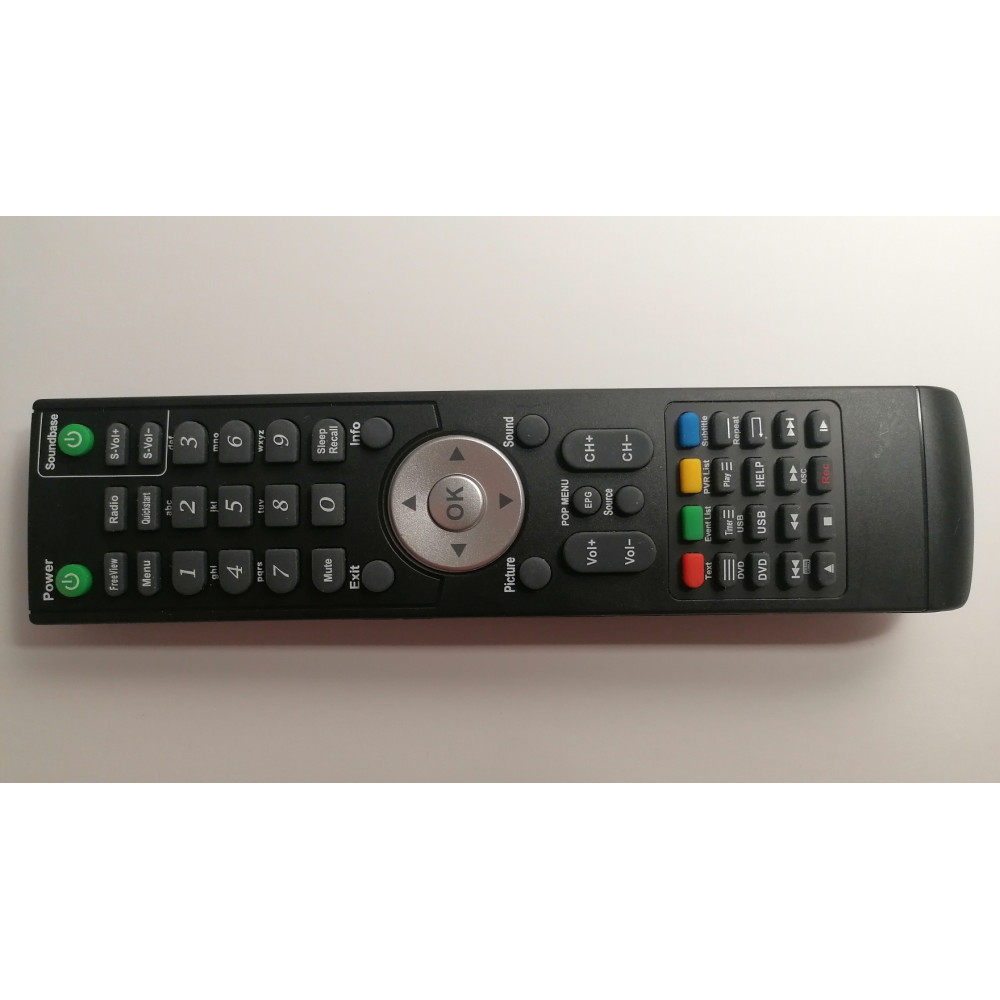
Original Cello PCC020-001 HD-55A-2 Fernbedienung Smart TV
https://handeltheke.de/original-cello-pcc020-001-hd-55a-2-fernbedienung-smart-tv

- Marke: CELLO
- Produktcode: Original Cello PCC020-001 HD-55A-2 Fernbedienung Remote Control
- Verfügbarkeit: Auf Lager
-
12.28€
- Ohne MwSt.: 10.32€
Verfügbare Optionen
- * Zustand
- Neu (mit Lagerspuren)
- Neu (mit Lagerspuren, ohne Akkufachdeckel)
(-2.38€)
- Gebraucht
(-4.76€)
Beschreibung
Die Original Cello PCC020-001 HD-55A-2 Fernbedienung ist eine hochwertige Ersatzfernbedienung, die nahtlos mit Ihrem Cello TV zusammenarbeitet. Mit ihrem schlanken und ergonomischen Design ist diese Fernbedienung einfach zu halten und zu bedienen und somit die perfekte Ergänzung für Ihr Home-Entertainment-Setup.
Eine der herausragenden Funktionen dieser Fernbedienung ist ihre Fähigkeit, alle Funktionen Ihres TVs zu steuern, einschließlich Lautstärke, Kanalauswahl und Eingangsumschaltung. Das macht es unglaublich bequem für diejenigen, die ihre Lieblings-TV-Shows, Filme und Spiele genießen möchten, ohne ständig zwischen mehreren Fernbedienungen wechseln zu müssen.
Eine weitere großartige Funktion dieser Fernbedienung ist ihre Kompatibilität mit einer Vielzahl von Cello TV-Modellen. Das bedeutet, dass Sie sich unabhängig davon, welchen Cello TV Sie besitzen, darauf verlassen können, dass diese Fernbedienung perfekt damit funktioniert.
Wenn Sie auf der Suche nach einer zuverlässigen Ersatzfernbedienung für Ihren Cello TV sind, ist die Original Cello PCC020-001 HD-55A-2 Fernbedienung definitiv eine Überlegung wert. Mit ihrem intuitiven Design und bequemen Funktionen wird sie sicherlich Ihr TV-Erlebnis noch besser machen.
Merkmale:
- Schlankes und ergonomisches Design für bequeme Verwendung
- Steuerung aller TV-Funktionen, einschließlich Lautstärke und Kanalauswahl
- Kompatibel mit einer Vielzahl von Cello TV-Modellen
- Einfach zu bedienen und einzurichten.
Eigenschaften
| Funktionsfähigkeit |
| Fachmännisch getestet und 100% funktionsfähig |
|
| Installation |
| Die Fernbedienung funktioniert sofort nach dem Einlegen der Batterien. Keine Programmierung erforderlich. |
|